~30s
 Quote
Quote
Book the move. Then see it happen. And verify the charges, line by line
Coverage
~30s
Quote
1
 Message
0
 Copy & paste
39
 Metro hubs
415
 Terminal depots
99.9%
 MCP / API uptime
What people say
“It was a pleasure to work with Portmate and the entire supporting Team on our recent shipment. This was our first shipment into Alaska which required (5) 40-foot shipping containers for the project. To say the least, it was no small feat! It takes a village. The Portmate team stepped up at every moment of the experience with good [communication], constant updates, and more importantly friendly and professional customer service. We will definitely use your services for future project needs. Thank you again!!”
“You and your team have been extraordinary throughout the shipments completed together. Thank you sincerely.”
How It Works
Step 1
Share origin, destination, terminal, container size, weight, and pickup date in one request
Step 2
Portmate prices the lane using terminal context, accessorial rules, carrier coverage, and negotiated buy-rate history
Step 3
Confirm the move and Portmate assigns capacity, connects truck tracking, and keeps delivery updates and exceptions in the shipment record
Visibility
Portmate turns the complete shipment record into a concise current update, then keeps every supporting detail ready when you need to look deeper or share the move
Portmate reviews the latest position, next stop, ETA, holds, free-time deadlines, equipment, milestone changes, and confirmed charges. The current situation is condensed into a short update so your team knows where to focus. You can also ask questions in chat or share the public tracking link so everyone sees the same facts
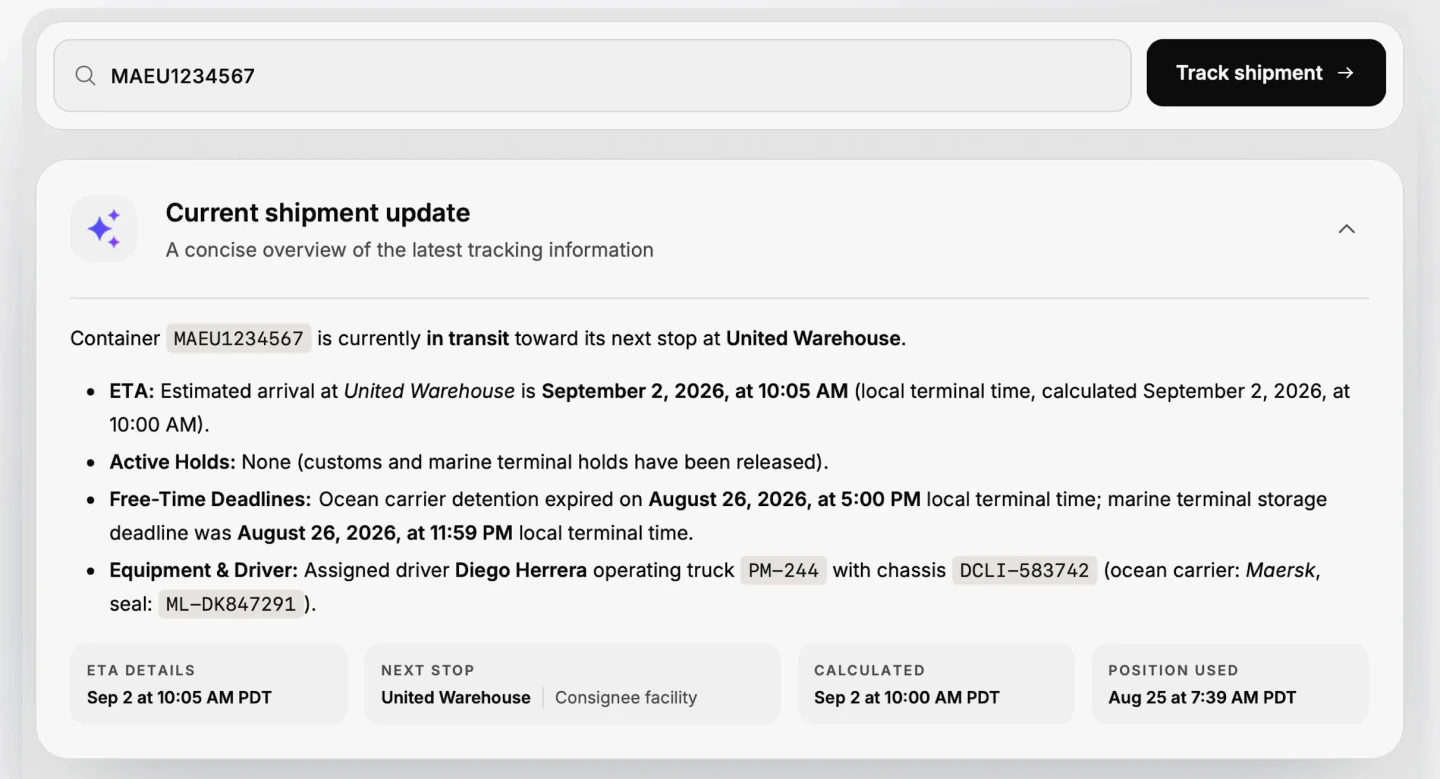
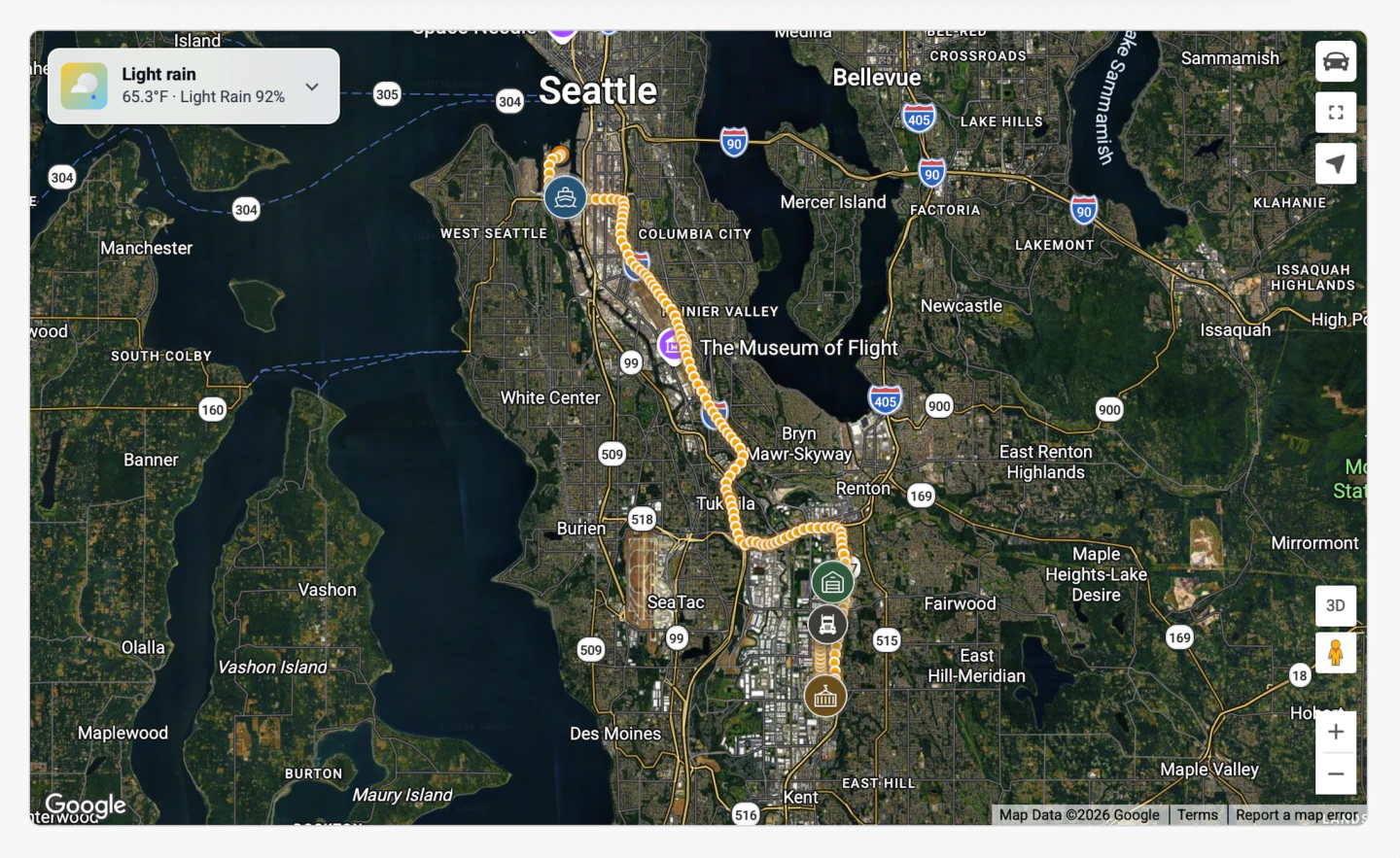
Location comes from a device installed in the truck, not a driver phone app or a manually relayed status update. The driver does not need to install an app, accept a tracking request, or keep phone location enabled, so there is no need for manual check calls, email chains, or driver follow-ups
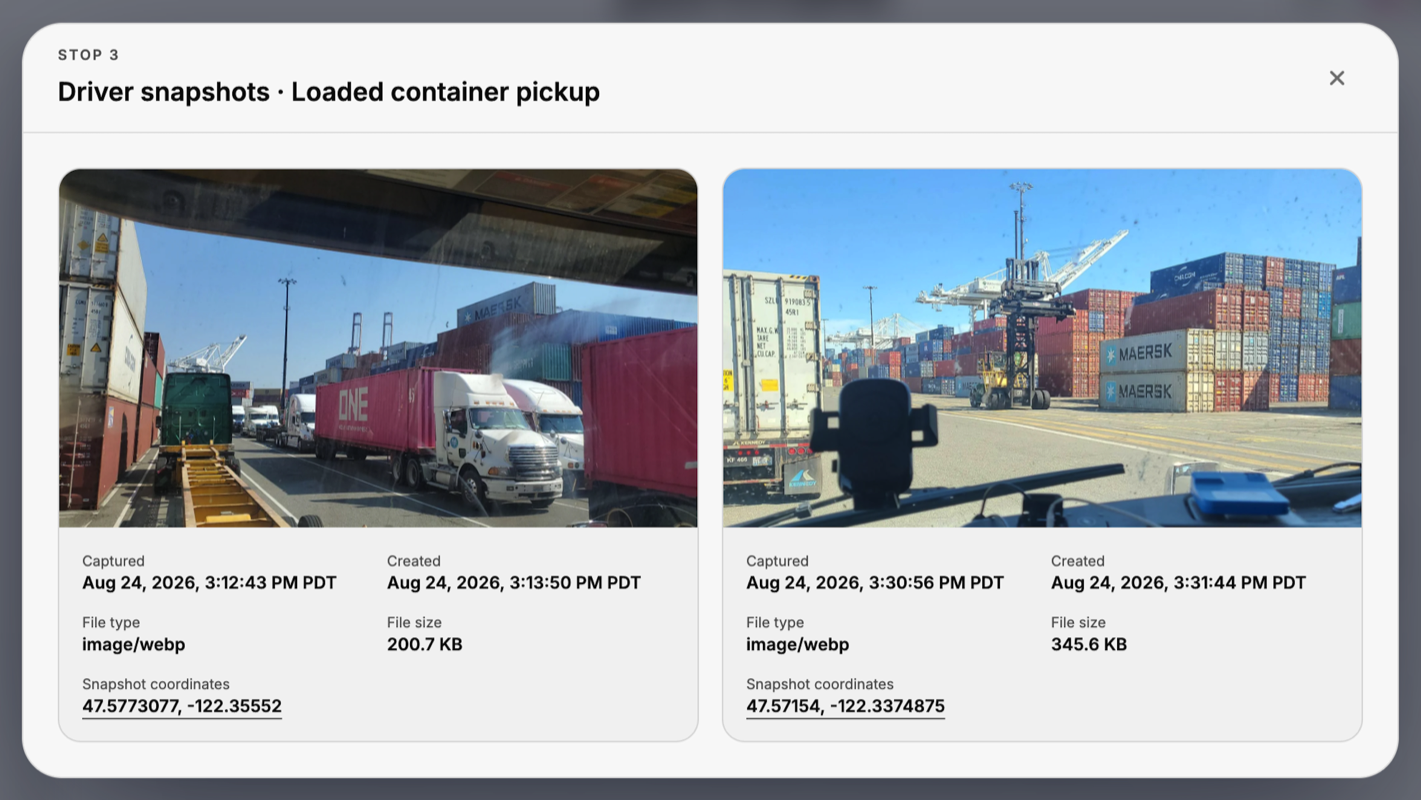
Expected and actual milestone times, elapsed intervals, operational notes, and timestamped driver snapshots stay attached to the move, including the coordinates where each snapshot was captured
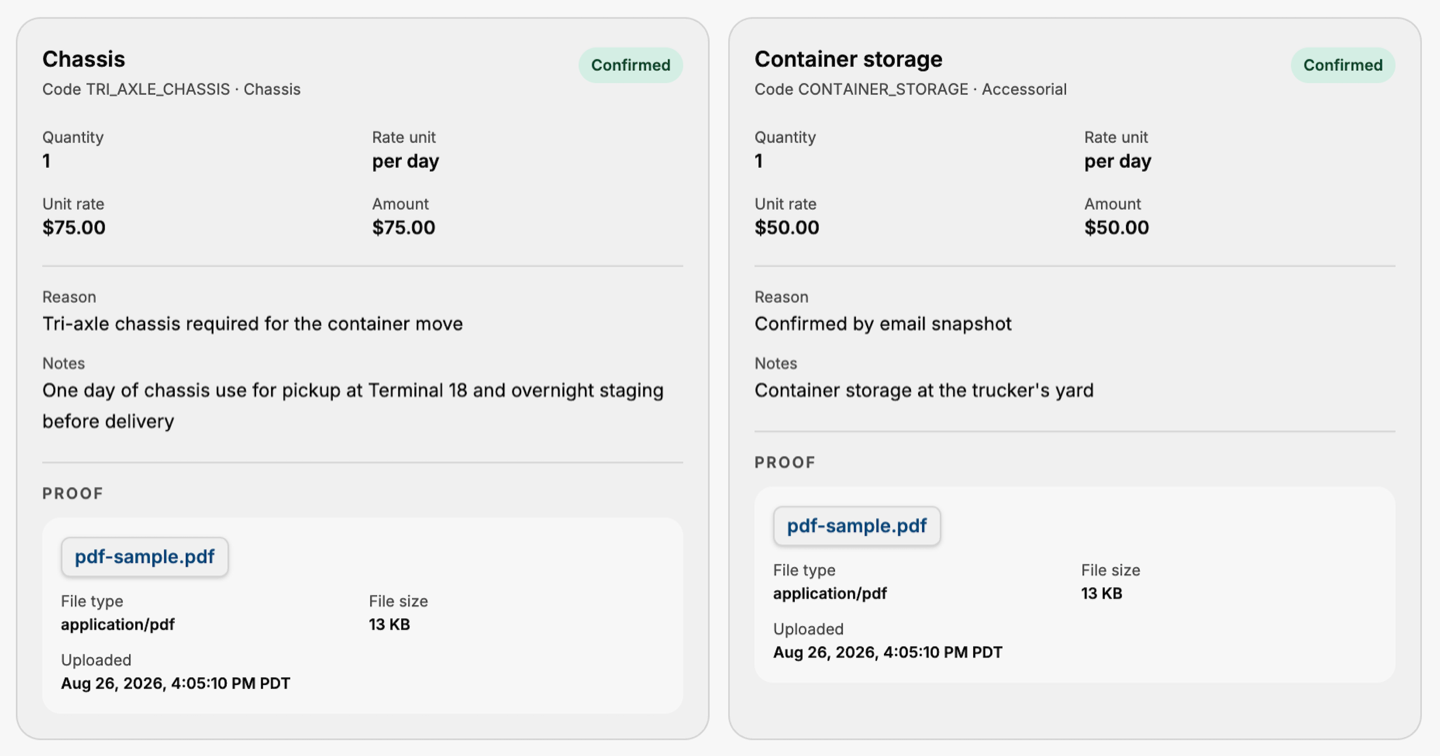
Each confirmed accessorial shows its quantity, unit rate, amount, reason, notes, and available proof. When the invoice arrives, the trail is already organized inside the shipment record
Real-World Context
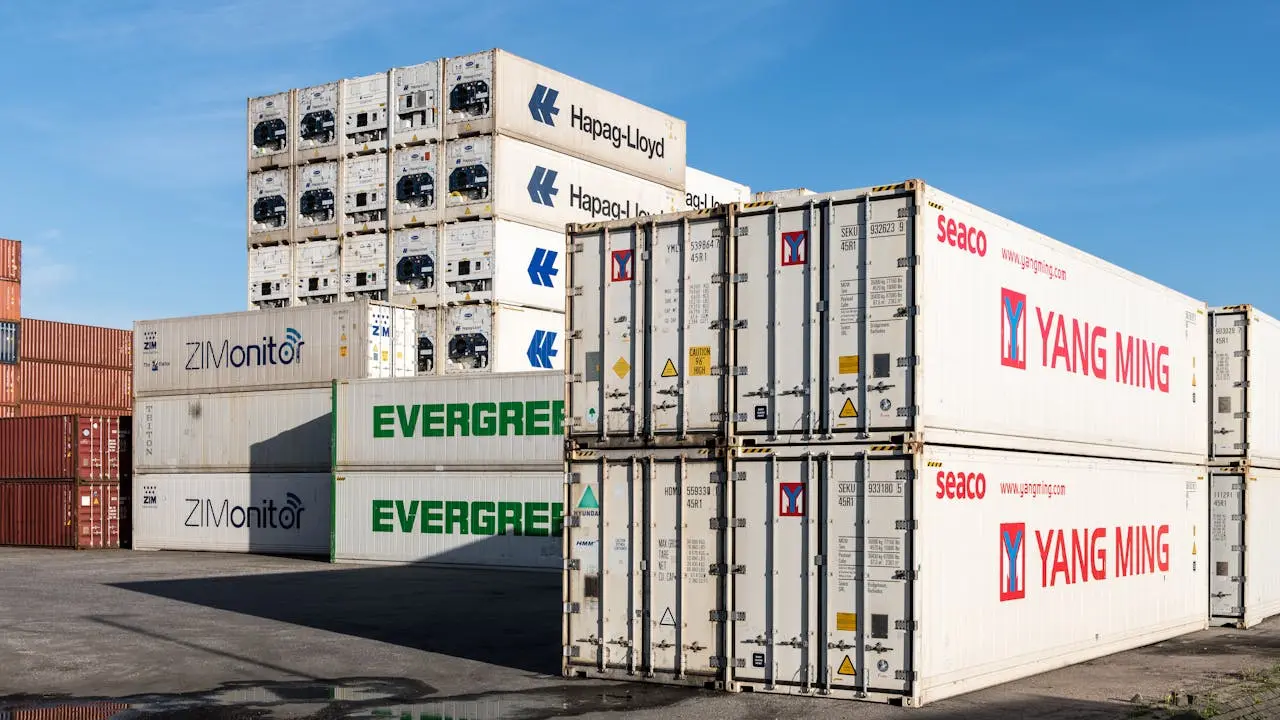
Port, rail yards, container stacks, and terminal processes
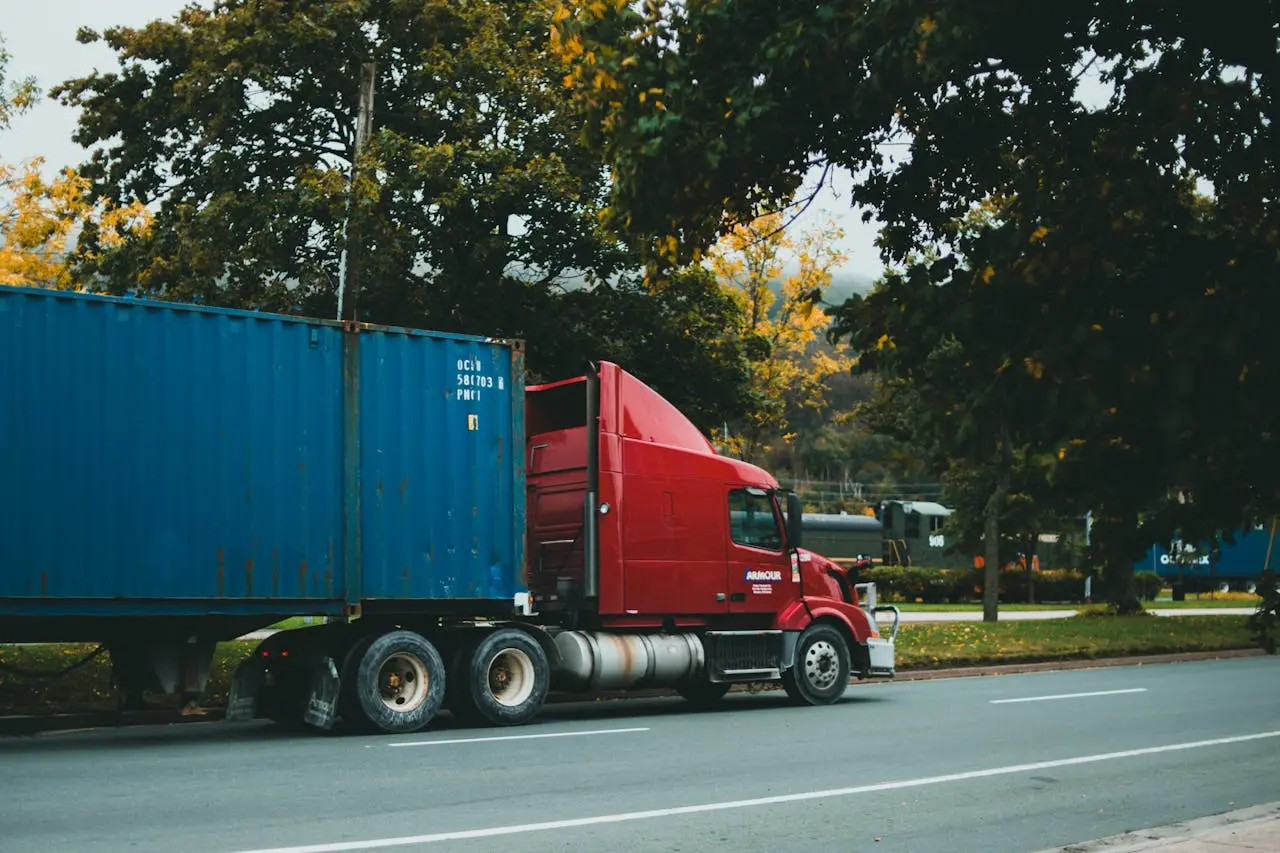
Confirmed capacity, backup options, and dispatch coordination in one place
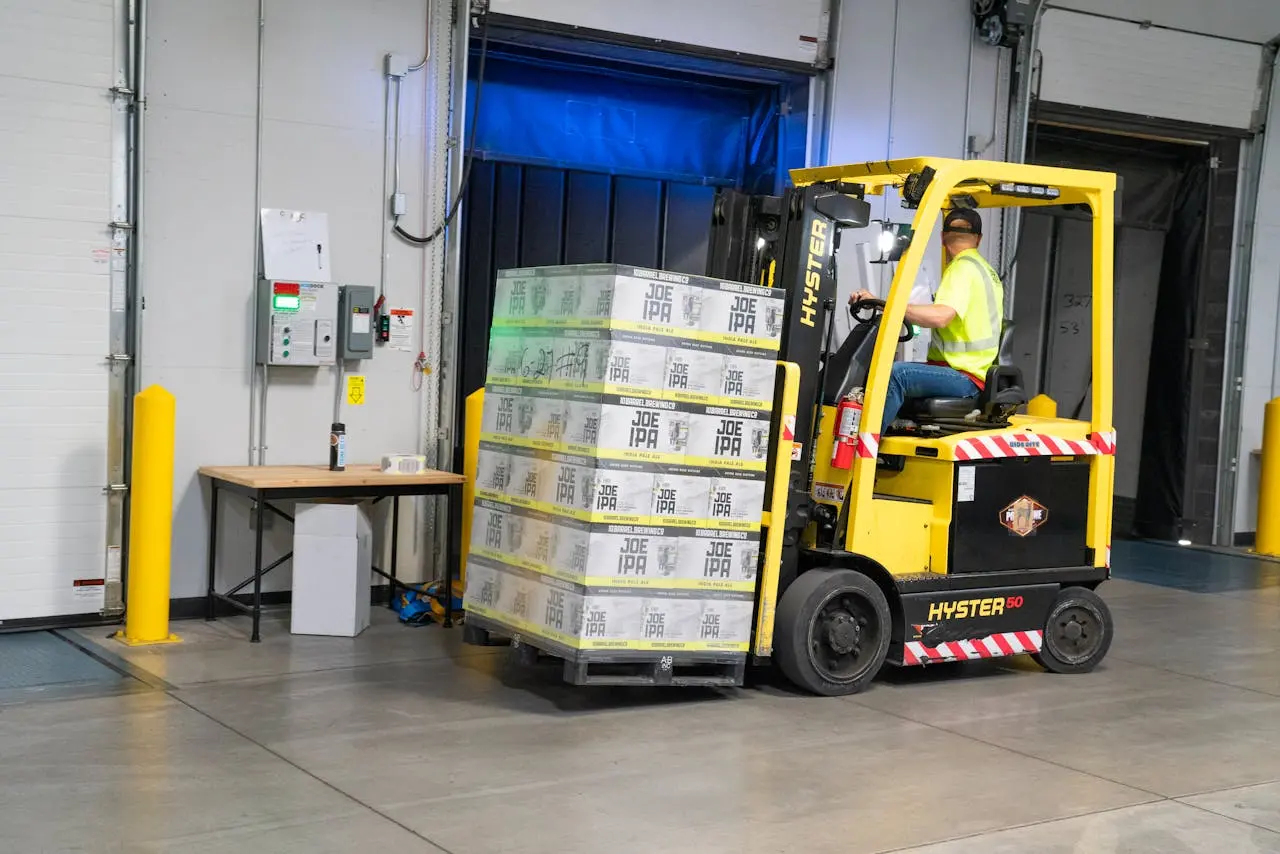
Delivery windows, receiver coordination, GPS tracking, and container updates
Core Benefits
Portmate aggregates repeat lane volume, negotiates carrier buy rates, and gives customers direct carrier pricing through the platform
Rates, booking, current status, milestone history, accessorial proof, exceptions, and billing stay in one Portmate workflow
Portmate keeps backup options ready when appointments shift, capacity tightens, or exceptions hit
Service Scope
Why Rates Improve
More repeat moves on the same port and rail lanes improve rate leverage and coverage
Linehaul, fuel, wait time, chassis, storage, and appointment assumptions are visible before you book
Structured volume helps truckers plan dispatch, reduce empty miles, and price lanes more efficiently
When the rate is accepted, Portmate moves straight into carrier assignment and shipment confirmation
MCP
Connect your AI agent to Portmate through the Model Context Protocol (MCP). Ask it to quote a lane, book a move, or track a shipment. Your agent handles the tools and the follow-through
You ask
Get a quote for one 40HC from APM Elizabeth to Linden, NJ
create_quote
{
  "method": "tools/call",
  "params": {
    "name": "create_quote",
    "arguments": {
      "lane": {
        "origin": "APM Terminals Elizabeth",
        "destination": "Linden, NJ 07036"
      },
      "equipmentType": "40HC",
      "containerCount": 1
    }
  }
}
An AI agent or your own software. The same operations, connected your way
API & Webhooks
Connect your TMS, ERP, or internal tools directly to Portmate. Use the API to quote, book, and track, and let webhooks bring shipment updates back to your systems
POST /v1/quotes
{
  "customerAccountId": "acct_7K92M",
  "lane": {
    "origin": "APM Terminals Elizabeth",
    "destination": "Linden, NJ 07036",
    "equipmentType": "40HC",
    "containerCount": 1
  },
  "cargo": {
    "commodity": "electronics",
    "weightLbs": 31240,
    "hazmat": false
  },
  "constraints": {
    "pickupWindowStart": "2026-11-16T08:00:00-05:00",
    "pickupWindowEnd": "2026-11-16T14:00:00-05:00",
    "deliveryBy": "2026-11-16T18:00:00-05:00"
  }
}
Operations library
Practical answers for terminal planning, accessorials, equipment, and the edge cases that shape a real move.
Loading the latest articles...
Send the lane details once. Portmate returns the rate, books capacity, shows what needs attention, and keeps the operational and charge trail together
Portmate, Inc.
Phone
Fax
(332) 232-7792
Copyright © 2026 Portmate, Inc. All rights reserved


